
How Hyperscore Works
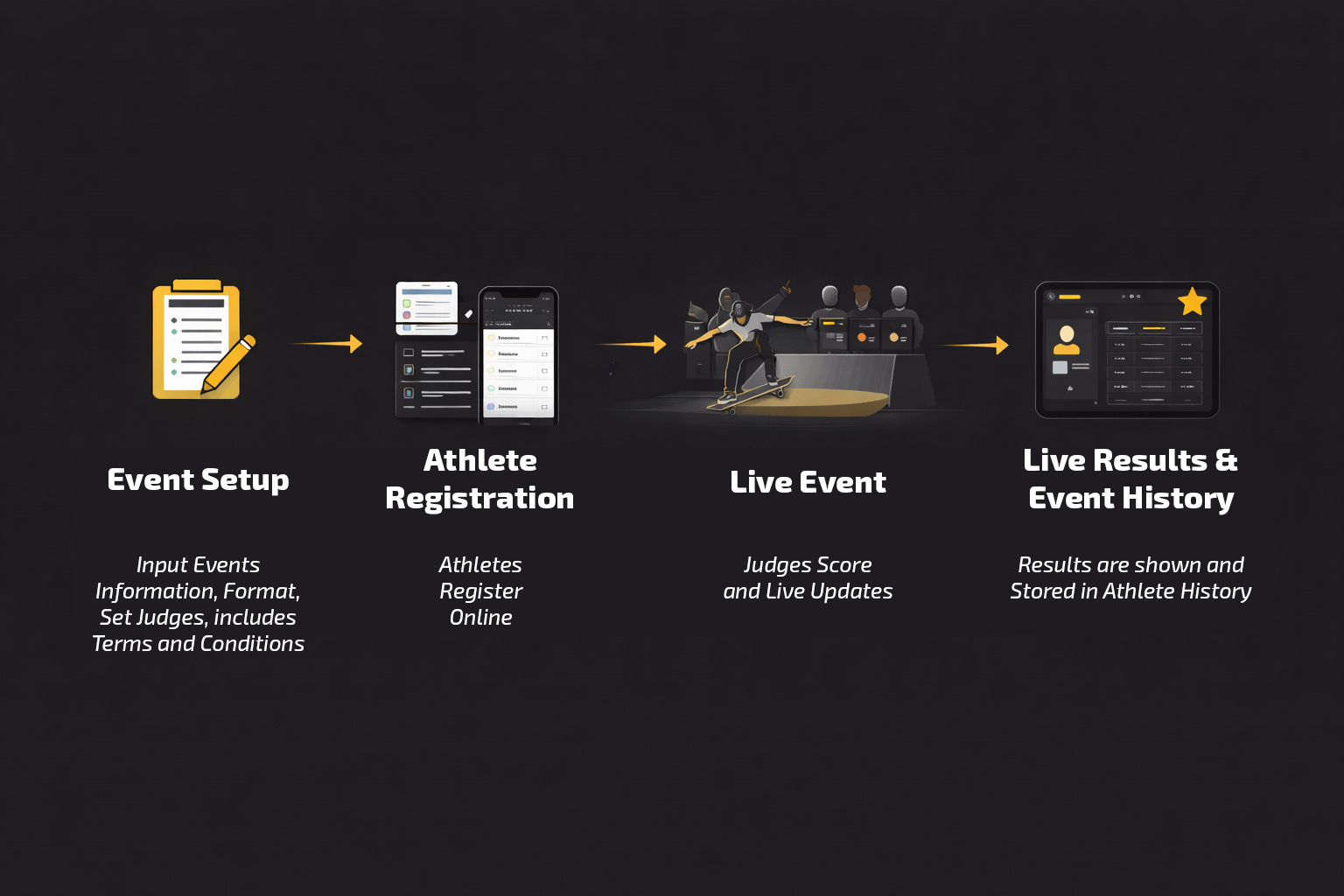
A Complete Event Journey — From Setup to Final Results
This page explains how a Hyperscore-powered event runs from start to finish. It is designed to help event organizers, judges, and participants understand the full workflow before deciding to use the system.
The Big Picture: One System, Three Perspectives
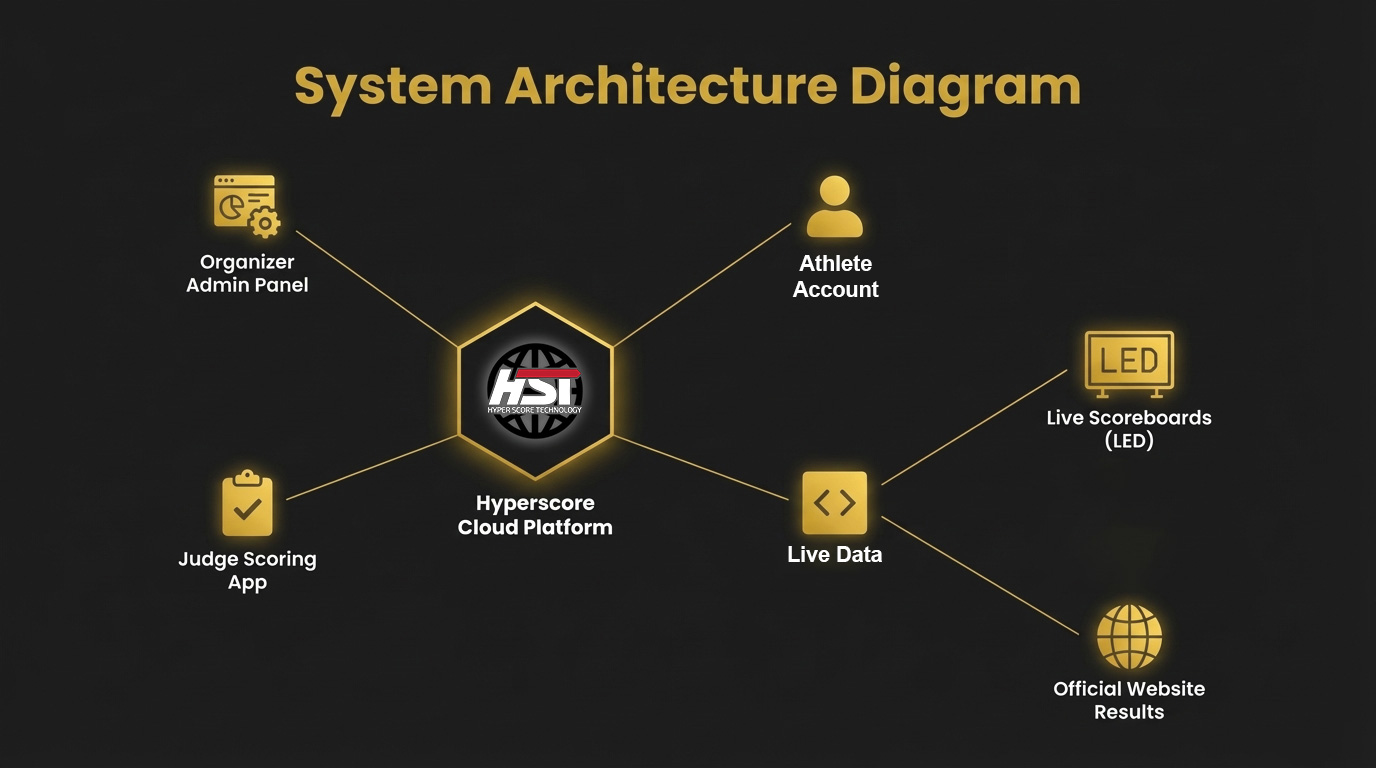
Hyperscore connects people, tools, and data in one unified system. Each role interacts differently with the platform.
Event Organizer
Participant (Athlete)
Judge
Each role experiences the system differently but works together seamlessly.
Event Organizer Journey
Who Is Involved
Small events may combine roles into one person. Large or broadcast events should separate roles for accuracy and speed.
Pre-Event Setup
What the Organizer Does
- Create the event in the HyperScore platform
- Define disciplines and formats (Street, Bowl, Heats / Non-Heats, Runs, etc.)
- Configure judging calculation system
- Assign judges and roles
- Prepare / coordination score display setup
Event-Day Operations
Live Phase
- Judges input scores in real time
- Rankings update automatically
- Organizer monitors the system via dashboard
Optional Operations
- Scoreboard display control
- Timing system operation (if enabled)
Post-Event
After the Competition
- Results are finalized and locked
- Rankings are published
- Event data is stored permanently
Participant (Athlete) Journey
Your journey from registration to achievement tracking
Registration
Participants can:
- Register online before the event, or
- Be registered on-site by the organizer (existing user account required)
- Their event entries
- Their scores
- Their rankings

During the Event
Experience seamless event participation with real-time updates
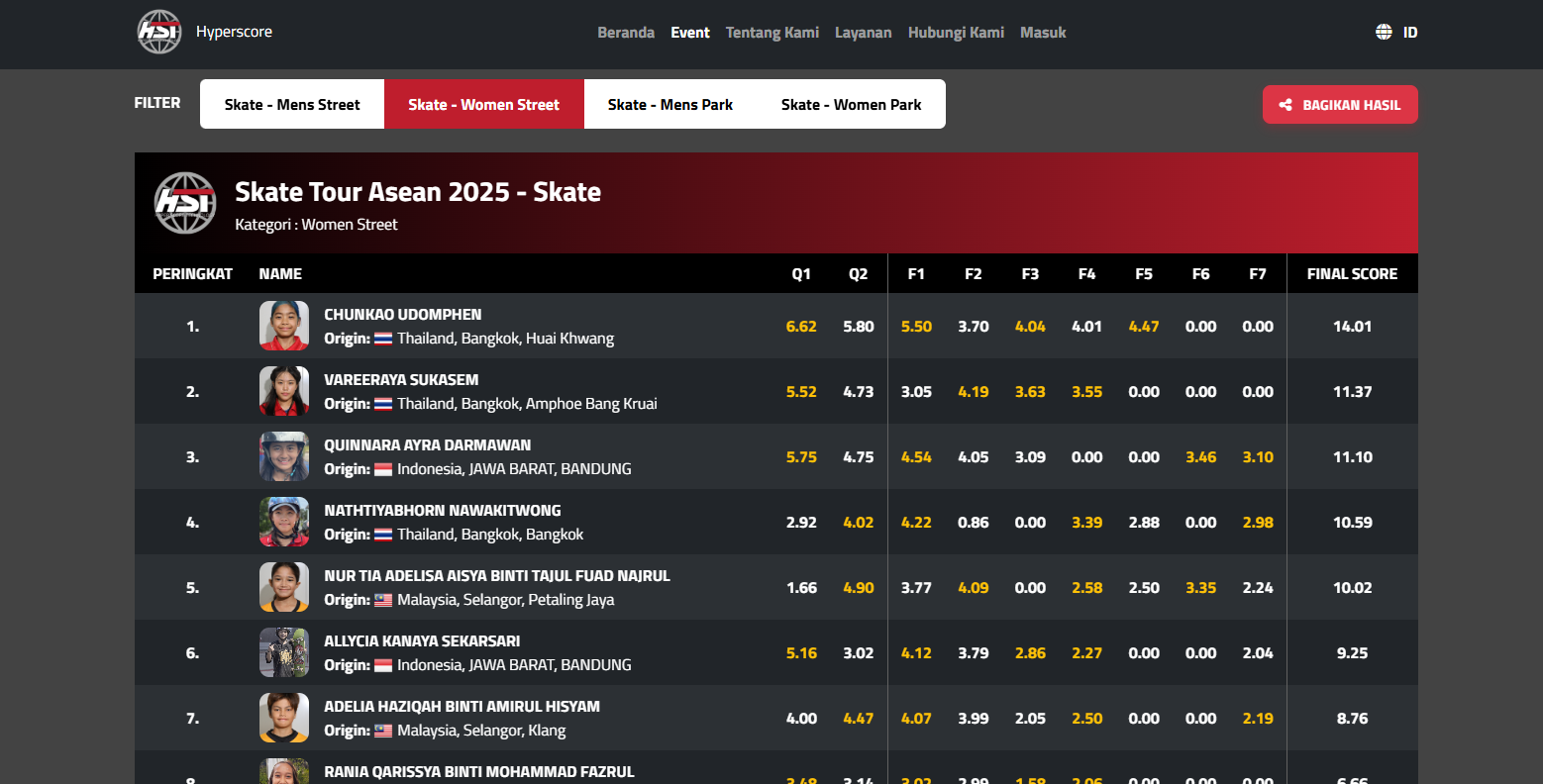
- View live scores and rankings
- Understand their current position
- Experience transparent scoring
After the Event
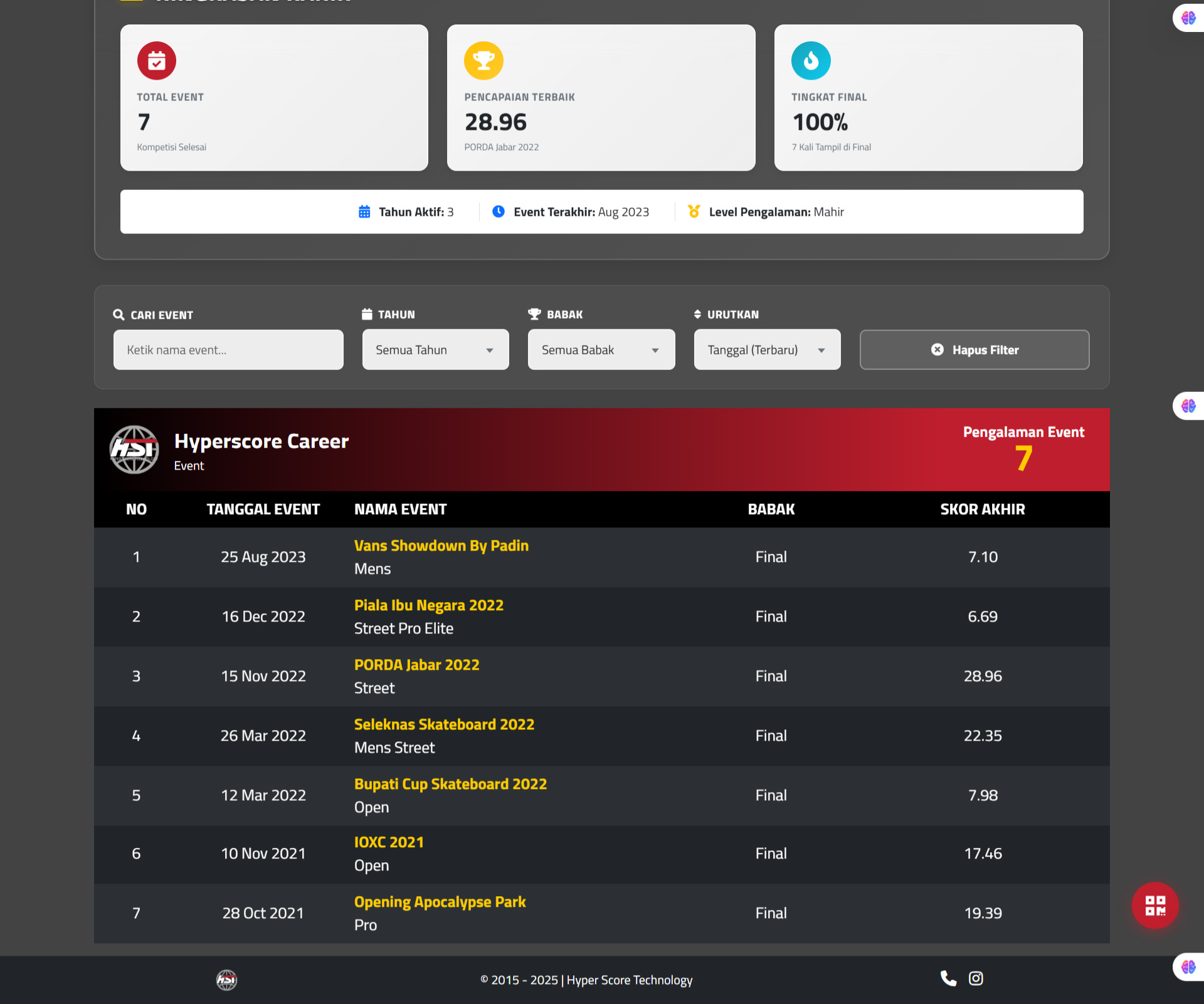
Each participant has a profile that shows:
- Event results
- Historical performance
- Participation history across events
This creates a long-term performance record, not just a one-day result.
Judge Journey
Professional judging tools for accurate and fair scoring
Judging Interface
Your scoring interface, optimized for speed and accuracy
Judges use a dedicated interface designed for:
Judges do not calculate totals or rankings manually.
Optional Decision-Support Display
Large-screen display for head judges to see calculation results and position prediction
Purpose
Help judges or head judges preview ranking impact before finalizing scores.
What It Shows
- Predicted ranking position
- Based on the score being considered
How It Can Be Accessed
- Separate external display
- Judge's own mobile phone
- Dedicated tablet per judge
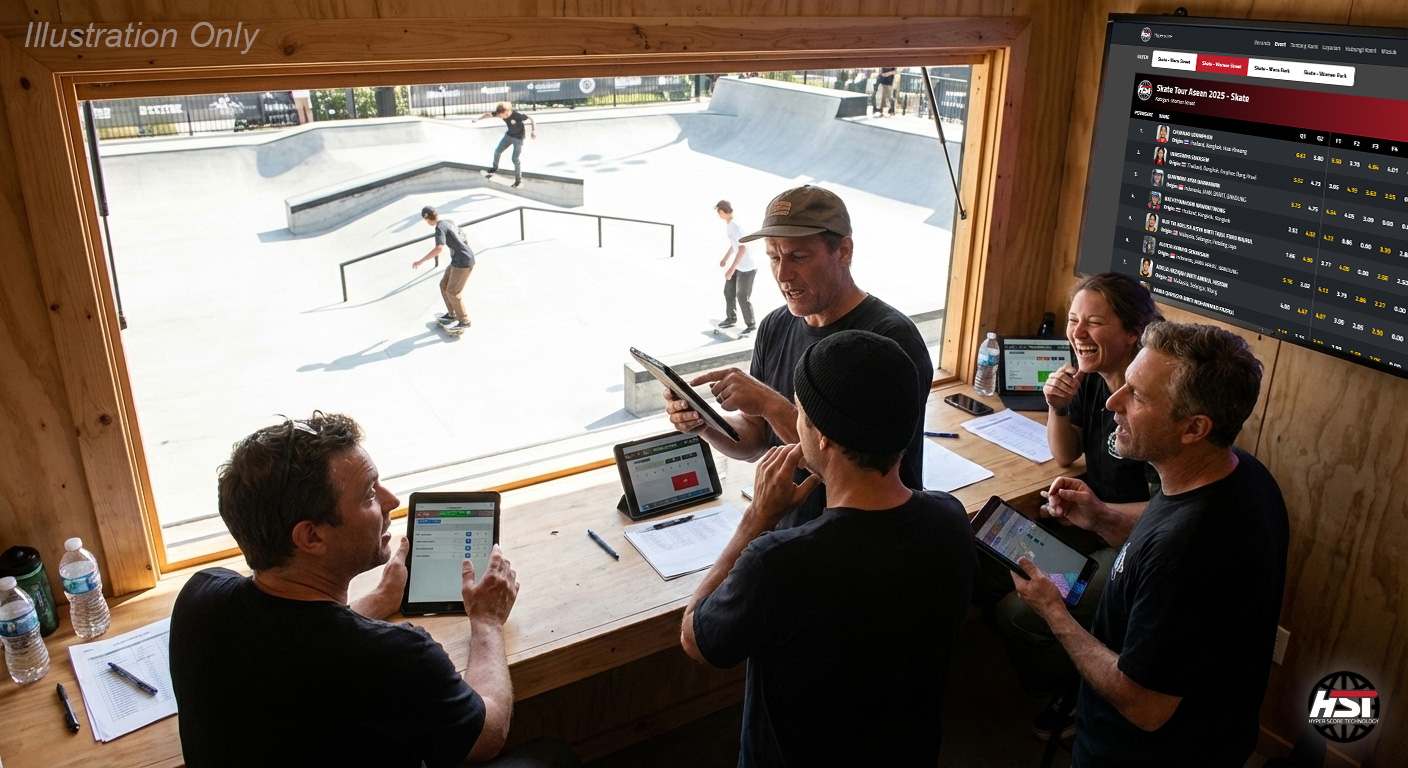
This feature is optional but highly recommended for close or high-stakes competitions.
Scoring Process
Step-by-step guide for judging sessions
Follow this streamlined workflow for consistent and efficient judging:
Access your judge dashboard and select your assigned competition
View participant list and running order for the session
Input scores in real-time using the optimized scoring interface
Review your scores and submit for immediate processing
All scores are timestamped and logged for complete transparency. The system ensures fair competition by preventing score modifications after submission.
Tools & Infrastructure
Everything you need to run a professional competition
Judging Devices
Judges can use:
- Hyperscore-provided tablets (optional, included when selected)
- Their own mobile phones (commonly used at small events)
Performance depends on device and network quality.
Internet Connectivity (Non-Negotiable)
Hyperscore requires an active internet connection.
Dedicated internet connection for judges and operators
- Public Wi-Fi
- Networks shared with audience or vendors
Unstable connections directly affect scoring speed and reliability.
Optional Systems
Depending on event needs:
- Timing system
- Additional score displays
- Broadcast integration
All optional systems integrate with the same core workflow.
Display & Physical Event Layout
Customizable display solutions for every venue
Score Display Options
Scores and rankings can be shown on:
- TV screens
- Jumbotron / LED walls
- Online live result pages
Displays update automatically in real time.
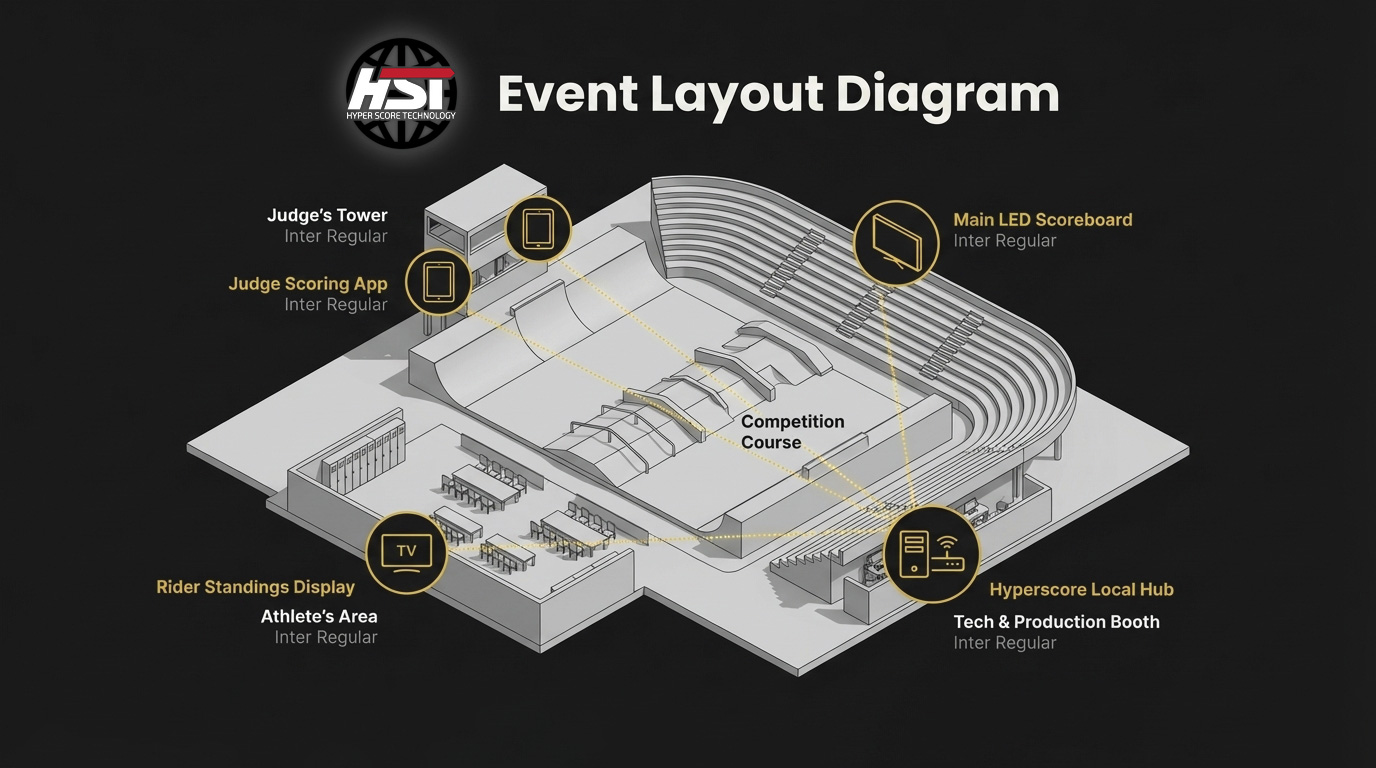
Typical Event Layout
Common positioning includes:
- Judges with clear park visibility
- Technical admin near display or control booth
- Scoreboard visible to athletes and audience
Event Scaling Scenarios
Flexible system that grows with your event size
Small / Community Events
10-50 participants
- 3 judges minimum (average of all scores)
- Judges can use own or provided devices
- One person handles multiple roles (director + tech admin)
- Basic WiFi or mobile hotspot
- Single display screen (optional)
- Minimal setup time (30 minutes)
Medium / Regional Events
50-200 participants
- 3 or 5 judges system (Optional)
- Judges can use own or provided devices
- Dedicated event director
- Technical admin handles system
- Stable venue WiFi required
- 2-3 display screens for audience and judges
- Moderate setup (1-2 hours)
Large / Professional Events
200+ participants
- 5 judges + 1 head judge (drop high/low, average middle 3)
- Judges can use own or provided devices (as per organizer selection)
- Full event management team
- Dedicated technical admin
- Separate timer and display operators
- Professional network infrastructure
- Multiple displays with redundancy
- Extended setup (2-4 hours)
The workflow remains the same. Only the scale of roles and tools changes.
Ready to Kick Off Your Next Event with HyperScore?
Power your event to the fullest with HyperScore!
Get in Touch
Choose the way you want to reach us:
Want to learn more about us?
Learn More About Us